Shred A Billion Wiki
Wiki in progressShred cash, upgrade your vacuum, and unlock the gold vault.
Play Blue Chip studios’ Roblox game, learn how to turn cash bundles into coins, and follow the Golden Key and gold vault heist sequence.
Getting started in Shred A Billion
Reviewed
Shred A Billion follows two jobs in the same bank. The first is a repeatable cash run: collect bills with a vacuum, unload them at the shredder, then spend the coins on equipment. The second is a gold heist that starts after the Golden Key opens a separate vault. Start with the tutorial objective before spending time looking for the key. A first run teaches the menu and deposit loop you will still be using once you reach deeper sections.
The November mobile recording begins with a 25-bundle tutorial and shows a green deposit circle. Watch the bundle counter as you collect cash, then step into that circle and check the coin balance after depositing. That distinction helps when a shop price looks out of reach: the bundles in your bag and the coins available to spend are different readouts. Keep the return route short until you can tell whether you spend more time vacuuming, walking to the shredder or waiting for a deposit.
Use the timestamped prices as checkpoints, not as a required shopping order. The Cash Grabber and Walk Speed purchases appear early in the recording. A later section shows a Bucket alongside a 100-bundle label and a prompt for a Cash Tube. The Bucket is worth investigating if you keep returning with a full load. Walk Speed is the easier purchase to evaluate if the same trip mostly consists of running. The labels in the guide let you recognize each prompt before you spend your coins.
When you reach the larger equipment menu, compare the exact card name with the coins on your screen. The guide separates the 10,000-coin Mini Vac from the 1,000,000-coin Mega Vacuum and includes the recorded price points in between. If you are testing an upgrade, run the same cash route once before and once after buying it. Record how many bundles you bring back and where you lost time. That is a more useful test of an early purchase than comparing trips through different areas.
The developer warns that creatures come out at night and describes a timed gold run to the hideout. Mark the approach to the shredder and the outgoing path before taking a long detour underground. If you are playing with friends, agree on a landmark where everyone can regroup and let the player at the cart call out when it is ready. The leaderboard is the place to compare completed heist times. The walkthrough here is useful before a heist even when the current server has not exposed a key location.
Code status
No redeemable promo code is verified for Blue Chip studios’ place. The official description checked on 21 November advertises 100 free coins for joining the Roblox group. That is a group reward, and the claim screen has not been reproduced for this guide. The game listing is where the offer appears.
Explore the wiki.
Gameplay & guides
Golden Key & Gold Vault
Use this guide once you want to leave the ordinary cash loop and try the timed gold heist. It follows the sequence the developer describes: dig for the Golden Key, open the gold vault, load the gold onto a cart and ride to the hideout. Prepare the route to the cart before testing a run. The evidence does not establish a fixed key spawn, vault coordinate or gold payout.
Beginner Guide & Upgrades
Follow the mobile tutorial from the first 25 bundles to the green deposit circle, then compare the recorded Cash Grabber and Walk Speed prices. Later checkpoints identify the Bucket, Cash Tube and full Cash Station warning. Use the vacuum price table to decide whether you need to carry more, shorten the return trip or buy a stronger vacuum. The timestamps let you match the live prompt with the one in the recording.
Golden Key & Gold Vault
Reach the cash pit and start digging
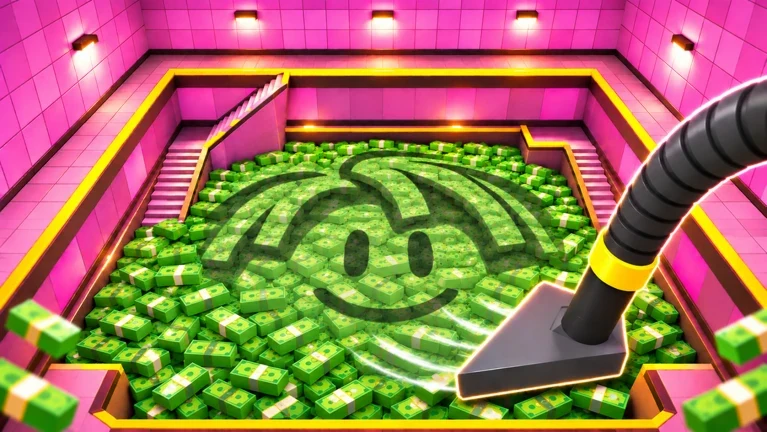
Blue Chip studios’ Roblox listing places the Golden Key deep in the cash vault. In DonutPlayz’s mobile run, the red-carpet aisle runs between the equipment displays and leads toward the cash pit. Clear piles with your tool and use the deposit circle or a built Cash Drop to keep sending cash to the shredder.
At 09:27 the Cash Tube by the Cash In sign has a Locked prompt asking the player to clear cash around the tube first. That prompt describes the tube. The mobile run ends with 8% of the pit cleared. MBT’s run shows the far-side walkway at 16:26 and reaches at least 19% cleared at 23:44. Neither recording shows the key pickup.
Open the gold vault and load the carts
The Golden Key unlocks the gold vault. Once inside, load gold onto the carts and ride the cart route to the hideout. The game compares heist times on a leaderboard.
The steps below give the creator’s sequence. MBT’s view from the pit shows a round door in the pink wall at 16:26. Its function remains unconfirmed. A recorded route from the key pickup to the gold vault door, the positions of the carts, and any turns between loading and reaching the hideout still need verification.
| Stage | Confirmed action | Detail still to check |
|---|---|---|
| Cash vault | Dig deep enough to uncover the Golden Key. | Spawn landmark and depth |
| Gold vault | Use the Golden Key to unlock the gold vault. | Door location and interaction prompt |
| Gold haul | Load gold onto carts and ride out to the hideout. | Cart spawn, loading controls and track layout |
| Finish | Check the heist time against the leaderboard. | Exact start and finish timing triggers |
Beginner Guide & Upgrades
Deposit your first load and pick up the coins
In DonutPlayz’s 17 November mobile solo run, the tutorial asks for 25 bundles. Follow the arrow to the green deposit circle by the shredder. After processing, walk into the coins to pick them up. The next arrow leads to the Cash Grabber display along the red-carpet aisle.
The tutorial then points to Cash Station and the conveyor. After building a belt, look for a Cash Drop at its intake. The tutorial shows placing your load there so the belt carries it to the shredder. Keep early trips short while you learn the return route, since the developer warns that monsters come out at night.
Choose your first upgrade
Start with the Cash Grabber when the tutorial points to it. After that, check what is slowing each trip. If the bag fills quickly, inspect a larger container. If the Cash Station repeatedly hits its full warning, check the station upgrade before spending on more collection speed.
These prices were visible in the 17 November mobile recording. Read the current coin prompt for the same upgrade before spending.
Early coin prices visible in DonutPlayz’s recording
| Upgrade | Coins shown | Video time |
|---|---|---|
| Cash Grabber | 100 | 01:45 |
| Walk Speed upgrade in General Upgrades | 20 | 01:55 |
Use the Cash Drop when your bag is full
At 05:15 the Bucket unlock banner lists room for 100 bundles. At 06:25 the tutorial shows the Cash Tube with a Hold to Build prompt. At 07:50 the Cash Station shows a full warning. Use the carry meter and station warning to decide which bottleneck to fix first.
Work up to stronger vacuums
In DonutPlayz’s mobile run, the Mini Vac pedestal sits between the Leaf Blower display and the Mega Vacuum stand. Hold Buy at the Mini Vac. The prompt at 08:15 clearly lists 10,000 coins. Its card at 08:17 describes holding the tool down for continuous suction.
At 08:06 the same equipment aisle shows the Money Sack at 7,500 coins. It is a separate carry upgrade. GothGirlGaming opens the Leaf Blower card at 14:00. MBT’s PC run shows that tool's price clearly and later buys a Backpack Vac. The Backpack Vac card describes automatic suction after you switch it on.
| Gear | Coin cost verified | Where it fits |
|---|---|---|
| Hand vac | Starting tool in the listing | The developer’s description names the hand vac as the start of vacuum progression. |
| Mini Vac | 10,000 coins | DonutPlayz at 08:15, Hold Buy on the equipment pedestal. |
| Leaf Blower | 50,000 coins | MBT at 11:51–11:53, price tag and yellow Buy button. |
| Backpack Vac | 300,000 coins | MBT at 22:40–22:41, yellow Buy button reads 300K. |
| Mega Vacuum | 1,000,000 coins | MBT at 23:40, the tag above the green machine shows a coin icon and 1M. Purchase unobserved. |
| Black Hole | Unverified | A Robux pass and a 40-second paid trial appear in the official catalog. |
Check whether the button charges Coins or Robux
The Mini Vac card in the 17 November recording shows a yellow coin purchase and a separate green one-run offer. The official Roblox catalog checked on 21 November lists Black Hole and Black Hole Backpack at 499 Robux each, and a 40-second Black Hole trial at 29 Robux. The catalog provides Robux prices. A Black Hole coin price remains unverified.
Shred A Billion FAQ
Where do I turn cash bundles into coins?
The early mobile tutorial shows the shredder’s green deposit circle. Follow the 25-bundle prompt, reach the marked deposit and check the coin balance before going to the store.
Which first upgrade should I buy?
If you return with a full load, compare storage before buying a stronger vacuum. If the trip itself takes most of the time, compare the Walk Speed prompt with an equipment purchase. Use the shown price for your current session.
Is the Golden Key always in the same place?
No fixed location has been verified. The developer describes finding the key by digging. The guide covers the next confirmed steps after discovering it, including opening the vault and getting the gold to the hideout.
How do I claim the free coins?
Blue Chip studios advertises 100 coins for joining its group. Check the game’s prompt and resulting balance after joining. A code string and claim button have not been verified for that offer.
What do I measure for a faster heist?
Keep the time spent finding the key separate from the cart trip when comparing attempts. Confirm the run reached the hideout and check the leaderboard before treating a partial route as a completed heist.
Topic coverage
Counts represent editorial topic status in this wiki, not in-game progress or player statistics.