100 Miles Down the River Wiki
Starter guideBuild a raft, stay in the light, and reach Mile 100.
Plan a raft run in 100 Miles Down the River on Roblox. Explore an interactive mile map, all 13 badge requirements, Spark revival and the Full Journal evidence.
Getting started in 100 Miles Down the River
Reviewed
Start by agreeing on one goal for the run. A distance attempt rewards keeping the raft moving. A journal attempt gives you a reason to dock repeatedly, even while a faster crew would continue downstream. In the opening footage a 12-wood objective helps orient the crew. Bring materials back to the build area, read which pieces you can place, and keep the approach to the raft clear enough for a player carrying supplies to return.
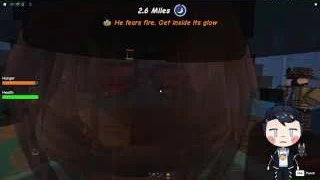
The danger described by the developer is tied to the storm and the need to stay in the light. The first storm capture shows a warning to get inside the fire’s glow. Call out the warning before anyone moves away for wood. At a landing, have one player check fuel while the others watch the raft and the path back. The campfire screenshot at 8.9 miles shows two different wood prompts. Read the current prompt to see which action your position offers instead of assuming every wood interaction has the same timing.
Use the river map as a log of places players have actually passed. Its mile markers are tied to badges or recorded HUD sightings, and the journal checklist gives landmarks and times from a specific crew recording. Start tracking before leaving the previous safe spot so you can recognize the approach. If a sighting is listed near a milestone, compare the shoreline with the recorded landmark before stopping. It is possible to reach the distance milestone without collecting a page.
Check the survival condition separately from your mile goal. The Mile 25 badge requires distance; Untouched adds the condition of reaching that mark without a knockdown. Plan shorter wood trips and fewer discretionary landings when the extra condition matters. For Full Journal, the official wording requires all notes and pages. Use the checklist to keep a record, then compare it with the live journal, since the wiki checklist only knows what you marked in your browser.
If someone goes down, check whether the crew can reach that player safely and whether the interaction you see is a revival prompt. The separate Spark flow applies to the ghost state. Class unlocks and equipment bundles also use different currencies and may affect what appears at the start of a run. Read the exact class card before leaving the lobby, then check the starting inventory so you can assign the boat, fuel and landing jobs around equipment you actually have.
Code status
No typed promo code is verified for this place. The available lobby footage and guide show a Free Revive board rather than a recorded code redemption. Check whether the board is offering a claim for your account, and keep that lobby reward separate from using a Spark during a run.
Explore the wiki.
Gameplay & guides
Raft Building & Survival
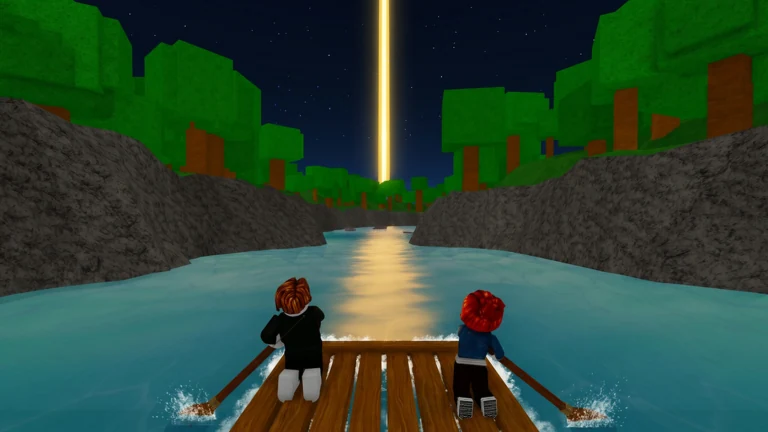
Follow the recorded first-raft objective, gather wood and split the build, fuel and lookout jobs before pushing off. The storm warning supplies the cue to regroup in the firelight. The guide pairs that footage with the recorded campfire prompts, fishing and repair evidence, and a decision about when to risk a stop. Its revive section explains what to check when one crew member falls behind.
River Map, Journal & Achievements
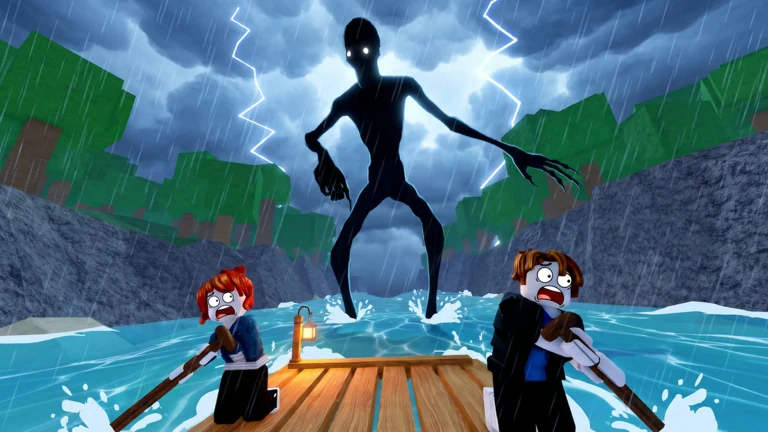
Open the interactive river map to compare six distance milestones and sixteen timestamped journal sightings. The entries identify which clips show a landing, note or badge condition. Use the route plan to decide which stop matters to your current goal, then check the live journal before sailing away. The recognition cues are based on a recorded trip; a coordinate grid and Mile 100 ending remain unverified.
Items, Spark Revival & Classes
Check the class board, the selected class and your starting kit before leaving the lobby. The class table separates reported Ember unlocks from listed Robux options. This section also distinguishes helping a downed crewmate from the use of a Spark as a ghost, and itemizes the developer-listed Starter Pack equipment. Use the current prompt for the exact currency, delivery conditions and item controls.
Raft Building & Survival

Build the raft and survive your first run
At 03:30 in Hayogo's four-player recording, the opening objective asks the crew to punch trees for wood and displays 0/12. Gather wood on shore, follow the raft objective and check that your group is aboard when the launch prompt appears. Read your own target. The equivalent solo requirement still needs a separate run.
Hayogo's crew is aboard at 03:50 and the mileage starts increasing. A separate Bloxron guide estimates around 20 logs and does not specify the crew size or setup for that estimate. Hayogo's four-player HUD shows 12 for its opening task. Use the objective and construction prompt in your own run before leaving the bank.
| Run goal | What counts |
|---|---|
| Lone Paddler | Use a solo run and reach Mile 100 alone. |
| Lifesaver | Official badge requires five crewmate revives. |
| Untouched | Reach Mile 25 in one run without being knocked down. |
Divide jobs and claim the lobby revive
Before casting off, decide who will steer, who will keep wood for the fire or repairs, and who will look for landings and supplies. The class panels give Lumberjack a wood perk, Cook a food perk and Medic a faster revive. Pick jobs based on which classes the crew actually has equipped.
Bloxron's November community capture shows a FREE REVIVE board in the lobby. Use the board to find the goin with the flow group. Join it, leave the session, like the exact Roblox experience, then rejoin and check the board. Keep the lobby reward separate from the Spark and crewmate revive options during a run.
| Job | While travelling | At a stop |
|---|---|---|
| Steer | Keep the raft pointed downriver and call out obstacles. | Hold near the landing while the crew boards. |
| Wood and fire | Keep wood available for the next camp. | Read the fire or repair prompt before using the supply. |
| Scouting and supplies | Watch for docks, shelters and injured crew. | Check the area for notes and supplies before leaving. |
Stay with the fire during the first storm
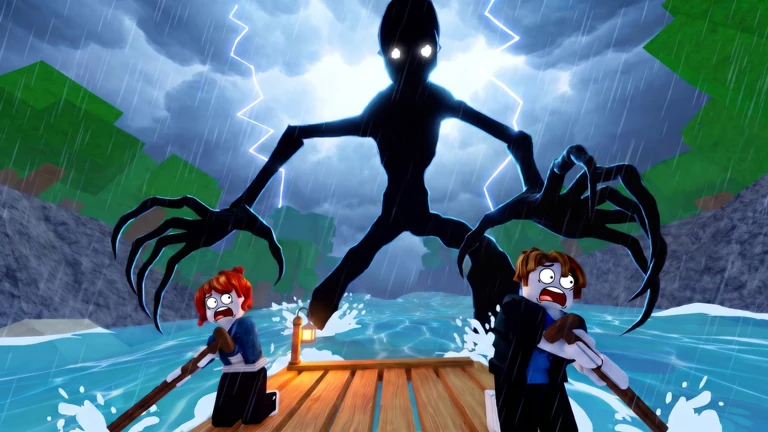
At 05:10 the crew is around Mile 2.6 and the game warns players to stay inside the fire's glow. Group up when the warning appears. In the following shot a tall creature stands outside while the HUD prompts for wood. Keep a crew member ready to handle the fire before others leave the raft to gather supplies.
At a landing, keep sight of the way back to the raft. If you are hunting journals, use the River Map's mile range and landmark together. Check around the dock or campfire. Return to the crew if the light begins to run out.
Refuel the campfire before leaving its light
At 8.9 miles, Bloxron’s PC screenshot shows a lit campfire with two wood prompts. Step near the fire to read how much you can add. Assign someone to watch the fuel while other crew members check the landing. The current touch and controller controls, fuel duration and protection range are unverified.
| Prompt | Key shown | Action |
|---|---|---|
| Add 1 Wood | E | Adds one unit from the player’s available wood. |
| Add Max 3 Wood | R | Adds up to 3 wood in this capture. Read the quantity at your campfire before using the bulk prompt. |
Steer, catch food and repair the raft
Use the oar to steer and watch the hunger meter as you travel. Bloxron’s screenshot shows the fishing rod in use from the bank at 8.9 miles. The guide describes equipping the rod, casting, waiting for a bite and cooking the fish at camp.
The same guide describes using logs on damaged raft boards after collisions. Check the damage and repair prompt at a safe stop before setting off again. Logs per repair, the full recipe list and trading inventory still need further checks.
Choose a goal before you push off
For a first solo run, learn the raft and fire prompts. Save the full solo attempt for Lone Paddler once you know the early stops. In a crew, decide who watches the raft and fire while someone else checks camps or gathers. If your goal is Full Journal, plan time at the landmarks in the River Map.
When somebody falls, check whether the crew still has a revive prompt. If you are already a ghost, the separate Back to Life achievement points to grabbing a Spark. Use Items, Spark Revival & Classes for the two recovery routes and the named Starter Pack equipment.
River Map, Journal & Achievements
Interactive river map
Open a checkpoint to see the 16 journal sightings from Hayogo's 19 November run. Mark a sighting only after its own page opens. The shelter with the dock and campfire shows two pages within the 6.8–9 mile stretch. Hollis Landing shows three near Mile 85.8. Check each popup before leaving those two stops.
A mile range comes from the nearest readable HUD frames when the popup covers the counter. Use the named landmark when the exact bank is obscured. Roblox's Full Journal badge does not specify the full page count, and the 16 sightings have not been reproduced in a second complete run.
0 / 16 recorded sightings marked found. Progress is saved in this browser.
Mile 1Cast Off
Reach the first mile after launching the raft.
Journal sightings in the following stretch- Before the 2.8-mile HUDHayogo · 07:20
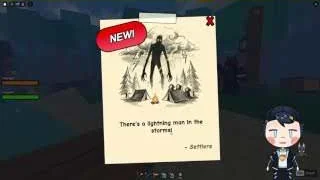
A lightning-figure note appears during the first night camp stop. Check the camp area before boarding again.
- Between 6.8 and 9 milesHayogo · 09:40
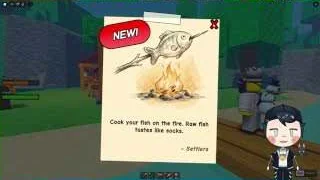
At the stop with a wooden shelter, dock and campfire, a new note shows a fish above a fire.
- Same stop as 09:40Hayogo · 09:50
A second page appears beside a chest and a tree before the crew leaves this camp.
Mile 10Ten Miles Down
Reach Mile 10 on the river.
Journal sightings in the following stretch- Between 11.3 and 12.4 milesHayogo · 11:30
After the crew is knocked off the raft, a note appears inside the lit camp beside the fir trees.
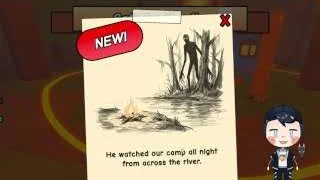
- Around Mile 14.9Hayogo · 15:10
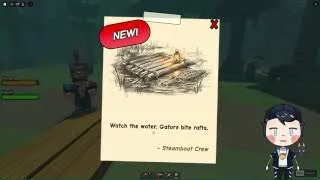
Check the grassy stop with striped stalls and a tall post. A note illustrated with a raft appears before departure.
Mile 25Quarter Way

Reach Mile 25. If you have not been knocked down in this run, you also meet the Untouched requirement.
Journal sightings in the following stretch- Mile 28.3 in this runHayogo · 23:50
Abandoned Igloo Village. The entry banner and adjacent HUD identify the stop. The journal popup appears near the campfire ring.
- After the 39.2-mile HUDHayogo · 29:20
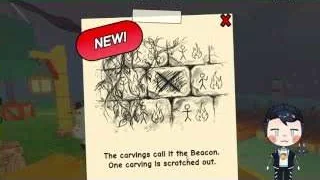
The crew stops near a dock with orange lamps. The popup shows a sheet of Beacon carvings with one panel crossed out.
- Mile 42.1 in this runHayogo · 31:20
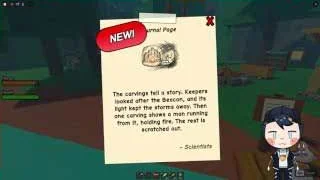
A popup appears at the grassy landing. At 31:30, the same stop shows a large engraved stone beside the landing with Mile 42.1 on the HUD.
Mile 50Halfway There

Reach the halfway checkpoint at Mile 50.
Journal sightings in the following stretch- Between 51.8 and 52.6 milesHayogo · 36:20
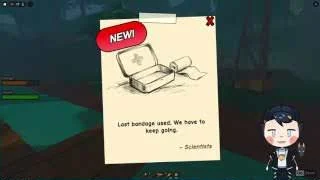
A first-aid illustration appears on a page while the raft is moving. The pickup point is obscured.
- Between 56.6 and 58.1 milesHayogo · 37:50
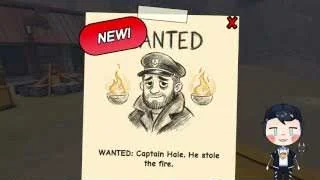
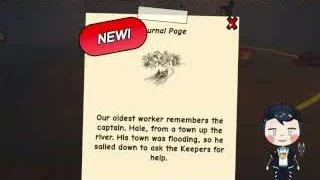
At the settlement with stone walls and wooden storefronts, the crew opens a new Captain Hole wanted notice.
- Between 59.2 and 59.8 milesHayogo · 38:40
A page illustrated with a lit mill and a dark figure appears at a canyon landing before the crew continues.
- Around Mile 61.9–62Hayogo · 39:40
Abandoned Old Mill is named at 39:10. A journal page appears before the raft resumes with Mile 62 on the HUD.
Mile 75Almost There

Reach Mile 75. The next badge checkpoint is Mile 100.
Journal sightings in the following stretch- Between 81 and 84.2 milesHayogo · 46:50
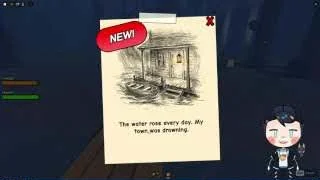
A flooded-house note appears during the blue-lit stretch. The popup obscures the exact bank.
- Around Mile 85.7–85.8Hayogo · 47:50
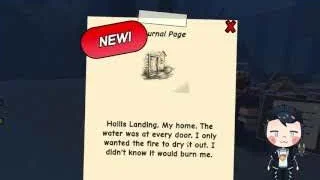
The raft approaches a short landing. A page naming Hollis Landing opens after docking.
- Same landing as 47:50Hayogo · 48:00
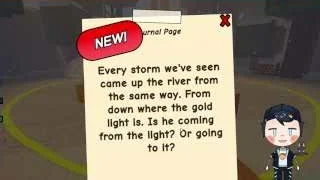
A different newly opened page shows a figure asking for fire. The nearby HUD returns at 48:10 with Mile 85.8.
- Around Mile 85.8Hayogo · 48:30
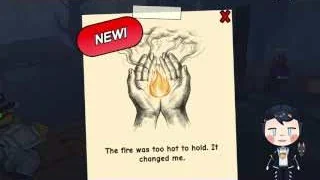
A third popup shows hands holding a flame. The preceding frames show benches, stacked supplies and a stone fire ring at the stop.
Mile 100Mile 100

Reach Mile 100. Finishing the journey alone is the requirement for Lone Paddler.
Journal: no verified sighting assigned to this stretch.Journal, crew and solo achievements
Full Journal requires every river note and journal page. The map above separates newly shown popups from pages reopened later in the video. The public badge does not state a total page count. Record the mile, bank and landmark for each pickup so you can retrace a missed stop.
| Badge | Requirement |
|---|---|
| Full Journal | Collect all notes and journal pages |
| Untouched | Reach Mile 25 in one run without being knocked down |
| Lone Paddler | Reach Mile 100 alone |
| Bring a Friend | Invite a friend who joins the run |
| Lifesaver | Revive 5 crewmates |
| Back to Life | Grab a Spark while in ghost form |
| Camp Cook | Cook 50 meals |
Plan stops for a Full Journal run
Roblox’s Full Journal badge asks for every note and journal page. Before leaving a landing, compare the landmark with the table above and mark a sighting only after someone has checked the pickup. Use the video times to review the approach and the feature beside the note.
In a crew run, leave one person with the raft and fire while another checks the landing. If the mile counter looks right but the shoreline looks different, use the landmark and bank description before disembarking. The map reflects one recorded run.
Mile 100 finish observed
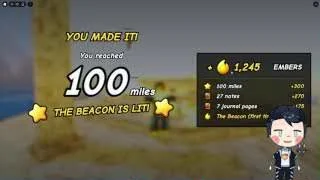
At 55:30 in Hayogo's 19 November run, the result screen displays 100 miles and a lit Beacon. The official badge feed also records Mile 100 awards. The capture confirms this finish for that run. Other endings have not been verified.
Items, Spark Revival & Classes
Spark revival, raft items and Ember
For a crewmate who has gone down, look for the in-game revive prompt. If you are already a ghost, the Back to Life badge describes returning by grabbing a Spark. These are separate recovery routes. Spark spawn locations and any limit on revives remain unverified.
The public beginner guide reports earning Ember from runs and spending it on classes between journeys. Hayogo's recording shows Classes in the lobby before matchmaking, around 01:40. See the dated community shop comparison below. Ember payouts by mile still need run results.
The original Starter Pack pass was marked off sale. On 20 November the same universe's developer-product catalog listed a separate 49 Robux Starter Pack with a puppy, the Stormwood oar finish and a one-run equipment kit. The kit includes a Flare Gun, Iron Bumper and Carved Oar. Check the current purchase prompt and item controls in your run.
| Situation | What to check |
|---|---|
| A crewmate is down | Use the live revive prompt. Five revives meet Lifesaver's stated condition. |
| You are already a ghost | Look for a Spark. The official Back to Life badge names this recovery. |
| You want a different starting kit | Check Classes in the lobby and compare the displayed Ember cost. |
| You are looking for the Starter Pack's run items | Flare Gun, Iron Bumper and Carved Oar are listed in its one-run kit. |
Lumberjack, Cook and Medic
The November community class guides report the unlock amounts below. Bloxron transcribes the gray button as Need followed by a number. The Robux column comes from the Roblox developer-product catalog checked on 20 November. Read the current currency icon and amount in your lobby before unlocking a class.
| Class | Reported Ember | Listed Robux | Starting item | Reported class benefit |
|---|---|---|---|---|
| Lumberjack | 150 | 49 | Axe | +1 wood per chop |
| Cook | 750 | 149 | Cooked Fish | Food fills 15% more |
| Medic | 1,500 | 299 | Bandage | Revives 15% faster |
Equip your class in the lobby and check the starting item
Bloxron’s lobby guide shows a What you get panel on each class card. Check the starter item, passive benefit and unlock prompt before leaving Classes. Select the owned class you want to use, then look for the starting item when the new run begins.
Choose the kit for the job you expect to do. Lumberjack’s axe helps the wood runner, Cook starts with food, and Medic starts with a bandage. A crew can divide those jobs before boarding. The dated class cards show one listed starting item and perk for each option.
Starter Pack and Turbo offers
The 20 November catalog lists Turbo as affecting the whole raft and extending the time when bought again. The first-use product has a separate price. Actual speed through obstacles and how the timer behaves between runs still need a gameplay check.
| Offer | Robux | Advertised effect |
|---|---|---|
| Starter Pack | 49 | Puppy, Stormwood oar finish and one-run Flare Gun, Iron Bumper and Carved Oar |
| Turbo First | 5 | First 30-second boost at 2× raft speed |
| Turbo | 25 | 2× raft speed for 30 seconds. Further purchases are advertised to add time. |
100 Miles Down the River FAQ
Can I use the mile list to find every journal page in one run?
Use each timestamp and shoreline landmark to recognize a recorded location, then compare the in-game journal after collecting it. The list records sightings and does not show which pages your account has already picked up.
What is the difference between Mile 25 and Untouched?
A run can reach Mile 25 without satisfying Untouched. The badge wording for Untouched requires reaching the same distance without being knocked down, so decide whether to prioritize distance or the extra condition.
Does the game have a confirmed Mile 100 ending?
The developer tees up Mile 100 as the destination. The existing footage and badges used here do not establish its final cutscene, reward or exact completion conditions.
What do I check when the storm starts?
Confirm everyone is near the fire, watch the visible fuel prompts and keep the return route clear. The recorded warning tells players to get into the firelight, but no exact protection radius was measured.
Can a wiki checkbox claim a Roblox badge?
The checklist records your marks in the browser. Roblox awards badges and records the journal in the game. Check the live badge or journal result after following a route.
Topic coverage
Counts represent editorial topic status in this wiki, not in-game progress or player statistics.